




13,09€
Auf Lager
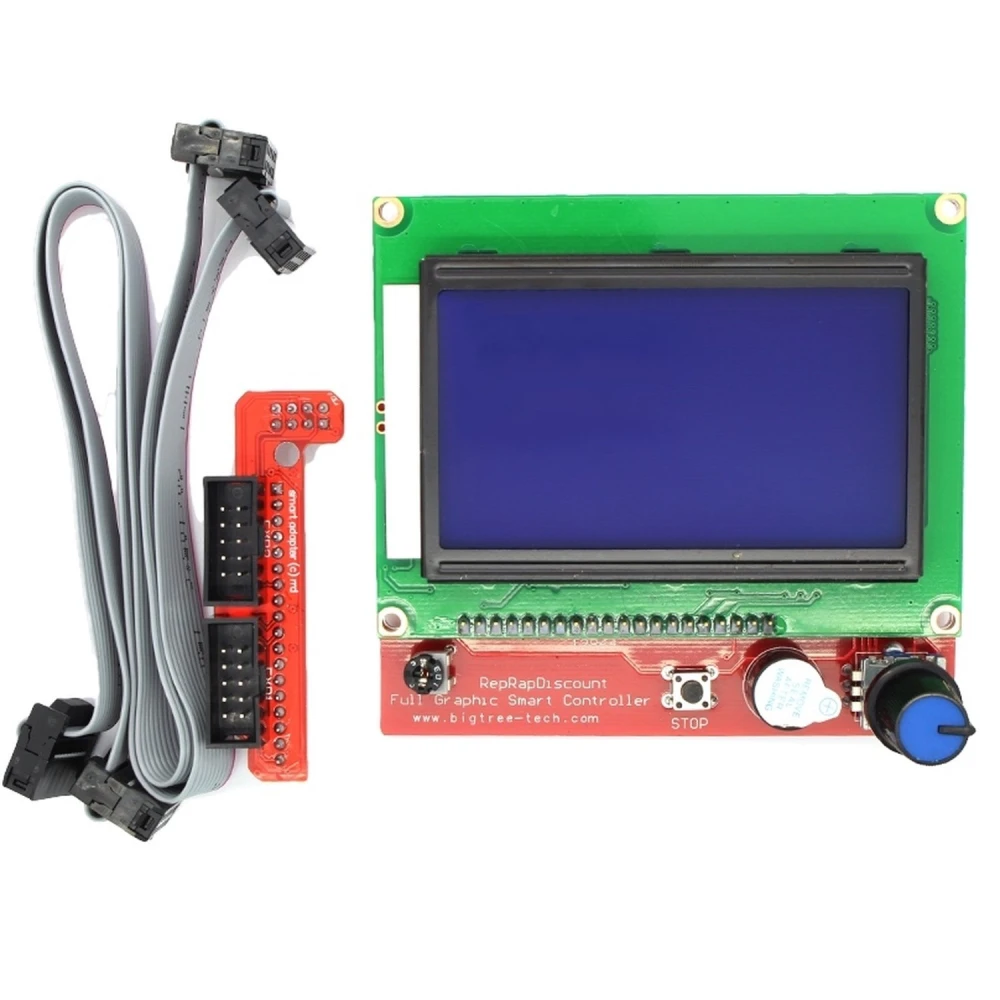
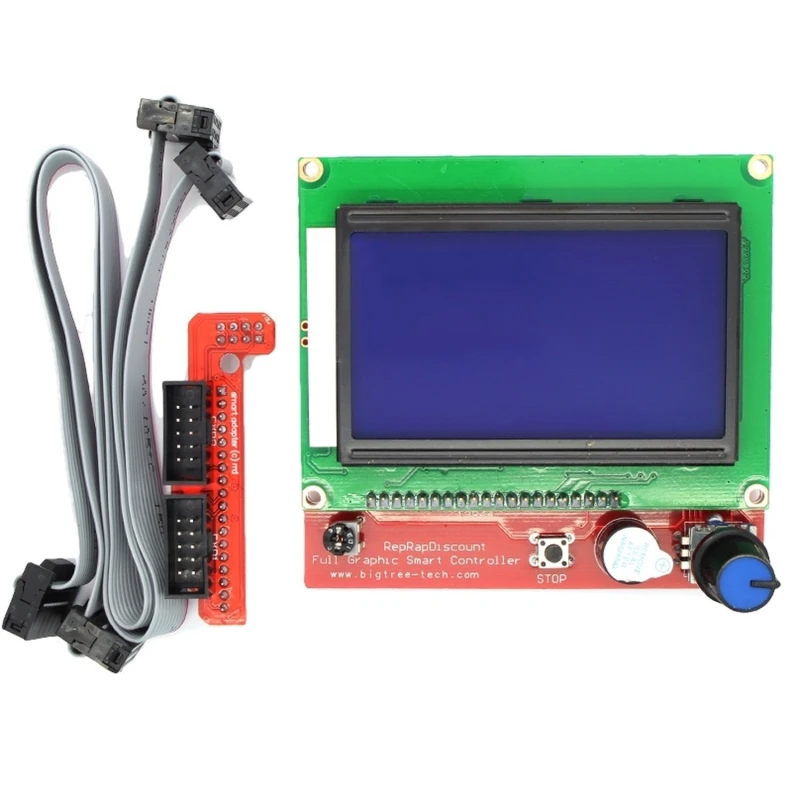
RAMPS Reprap LCD-Steuerung mit LCD/SD-Panel für 3D-Drucker
Marke: satkit
13,09€
Inkl. MwSt. (Exkl. MwSt.: 11,00€)
Nur noch 5 auf Lager - jetzt bald bestellen!
Standardlieferung
Mi, Apr 22 - Fr, Apr 24
Expresslieferung
Mo, Apr 20 - Di, Apr 21
30 Tage Rückgaberecht
Kostenlose Rücksendung innerhalb von 30 Tagen
Sichere Transaktion






Share:
Kostenlose Lieferung
Bei Bestellungen ab 300€
Einfache Rücksendung
30 Tage Rückgaberecht
Sichere Zahlung
100% sicherer Checkout
Qualitätsgarantie
Nur Originalprodukte
Die RAMPS Reprap LCD-Steuerung ist ein unverzichtbares Zubehör für Nutzer von 3D-Druckern, die eine autonome und praktische Lösung suchen, um ihr Gerät ohne Computer zu bedienen. Dieses intelligente Panel integriert einen SD-Kartenleser, einen Drehencoder und ein LCD-Display mit 128x64 Zeichen und bietet eine intuitive Benutzeroberfläche sowie volle Funktionalität zur Steuerung Ihres 3D-Druckers, der mit der RAMPS 1.4-Platine kompatibel ist.
Hauptmerkmale:
- SD-Kartenleser zum direkten Laden von Designs im G-code-Format von der Karte.
- LCD-Display mit 128x64 Zeichen für klare und präzise Informationen.
- Drehencoder für eine einfache Navigation durch Menüs und Einstellungen.
- Kompatibel mit der RAMPS 1.4-Platine über den mitgelieferten Adapter.
- Ermöglicht den Betrieb des Druckers ohne Computer, indem die SD-Karte mit Strom versorgt wird.
- Firmware auf Marlin-Basis, mit Möglichkeit zur zukünftigen Aktualisierung.
Lieferumfang:
- 1 x RAMPS LCD-Steuerpanel mit SD-Kartenleser.
- 1 x Anschluss für die RAMPS 1.4-Platine.
- 2 x Flachbandkabel mit 10 Pins für die Verbindung.
Typische Anwendungen:
Diese Steuerung ist ideal für Nutzer von 3D-Druckern, die mehr Unabhängigkeit und eine einfache Bedienung wünschen. Sie ermöglicht Kalibrierungen, das Bewegen von Achsen und das Ausführen von auf der SD-Karte gespeicherten Druckaufträgen, ohne den Drucker mit einem PC verbinden zu müssen, und sorgt so für einen komfortableren und effizienteren Arbeitsablauf.
Kompatibilität:
Speziell für RAMPS 1.4-Platinen und Reprap-Systeme entwickelt, ist dieses Panel mit der Marlin-Firmware kompatibel und sorgt für eine einfache und stabile Integration.
Mit dieser Steuerung wird das 3D-Druck-Erlebnis zugänglicher und autonomer, ideal für Maker und Enthusiasten, die ihre Ausstattung optimieren möchten.
- Integrierter SD-Kartenleser für Drucken ohne PC
- 128x64-Zeichen-LCD für klare Anzeige
- Drehencoder für einfache Navigation und Steuerung
- Kompatibel mit RAMPS 1.4-Platine inklusive Adapter
- Marlin-Firmware mit Aktualisierungsmöglichkeit
- Inklusive 10-Pin-Flachbandkabel und Anschlussstecker
Kundenfragen & Antworten
Quines són les dimensions físiques del panell LCD i dels cables inclosos, i quant espai he de reservar a la meva impressora?
El panell LCD té unes dimensions aproximades de 93 mm x 87 mm x 15 mm. Els cables plans inclosos fan 300 mm cadascun i tenen connectors estàndard de 10 pins. Has de reservar almenys un espai lliure frontal de 100 mm x 90 mm x 30 mm per assegurar el muntatge correcte i l’accés al panell i a la SD.
Quin procediment d’instal·lació he de seguir i quines precaucions he de tenir per evitar danys elèctrics en connectar el panell?
La instal·lació implica connectar els cables plans entre el controlador LCD i la placa RAMPS utilitzant els connectors de 10 pins; és fonamental seguir l’orientació correcta indicada per les guies dels connectors per evitar curtcircuits o danys al panell. Es recomana fer la connexió sempre amb la impressora desconnectada de l’alimentació i respectar l’alineació del cable (pin 1 a pin 1).
El panell pot mostrar correctament caràcters especials o gràfics i quina és la resolució de la pantalla?
La pantalla és de tipus LCD gràfica amb resolució de 128x64 píxels. Admet caràcters estàndard i alguns símbols gràfics simples, segons el que permeti el firmware. No és capaç de mostrar gràfics complexos ni múltiples idiomes més enllà del conjunt predefinit de Marlin, i els caràcters especials poden requerir personalització del firmware.
Què passa si la meva impressora 3D opera en ambients amb molta humitat o pols, i hi ha mesures de protecció recomanades per al panell?
El controlador no té un encapsulat segellat contra la humitat o la pols; la seva placa electrònica està exposada a agents externs. Per a ambients adversos, es recomana instal·lar-lo dins d’una carcassa protectora amb ventilació, evitant l’acumulació de pols que podria danyar la pantalla o els contactes del lector SD. El rang operatiu segur estàndard per a components similars és de 0 a 50°C i humitat relativa inferior al 60%.
What are the physical dimensions of the LCD panel and included cables, and how much space do I need to allow in my printer?
The LCD panel measures approximately 93 mm x 87 mm x 15 mm. The included ribbon cables are 300 mm long each and have standard 10-pin connectors. You should allow at least a clear front space of 100 mm x 90 mm x 30 mm to ensure correct mounting and access to the panel and SD card.
What installation procedure should I follow and what precautions should I take to avoid electrical damage when connecting the panel?
Installation involves connecting the ribbon cables between the LCD controller and the RAMPS board using the 10-pin connectors; it is essential to follow the correct orientation indicated by the connector guides to avoid short circuits or damage to the panel. It is recommended to make the connection only when the printer is disconnected from the mains and to respect the cable alignment (pin 1 to pin 1).
Can the panel display special characters or graphics correctly and what is the screen resolution?
The screen is a graphical LCD with a resolution of 128x64 pixels. It supports standard characters and some simple graphic symbols, depending on what the firmware allows. It cannot display complex graphics or multiple languages beyond the predefined Marlin set, and special characters may require firmware customisation.
What happens if my 3D printer operates in environments with high humidity or dust, and are there recommended protection measures for the panel?
The controller does not have a sealed enclosure against moisture or dust; its electronic board is exposed to external agents. For harsh environments, it is recommended to install it inside a protective housing with ventilation, avoiding dust build-up that could damage the screen or the SD reader contacts. The standard safe operating range for similar components is 0 to 50°C and relative humidity below 60%.
What are the physical dimensions of the LCD panel and included cables, and how much space do I need to allow in my printer?
The LCD panel has approximate dimensions of 93 mm x 87 mm x 15 mm. The included ribbon cables are 300 mm long each and have standard 10-pin connectors. You should allow at least a clear front space of 100 mm x 90 mm x 30 mm to ensure correct mounting and access to the panel and SD card.
What installation procedure should I follow and what precautions should I take to avoid electrical damage when connecting the panel?
Installation involves connecting the ribbon cables between the LCD controller and the RAMPS board using the 10-pin connectors; it is essential to follow the correct orientation indicated by the connector guides to avoid short circuits or damage to the panel. It is recommended to make the connection with the printer disconnected from the power supply and to respect the cable alignment (pin 1 to pin 1).
Kundenbewertung schreiben
Kunden, die diesen Artikel gekauft haben, kauften auch
Ihre zuletzt angesehenen Artikel

Analoges Multimeter Victor VC3021: zuverlässiges und präzises Messgerät
14,58€
Nur noch 10 auf Lager
 RAMPS Reprap LCD-Steuerung mit LCD/SD-Panel für 3D-Drucker
13,09€