


4,64€
Auf Lager
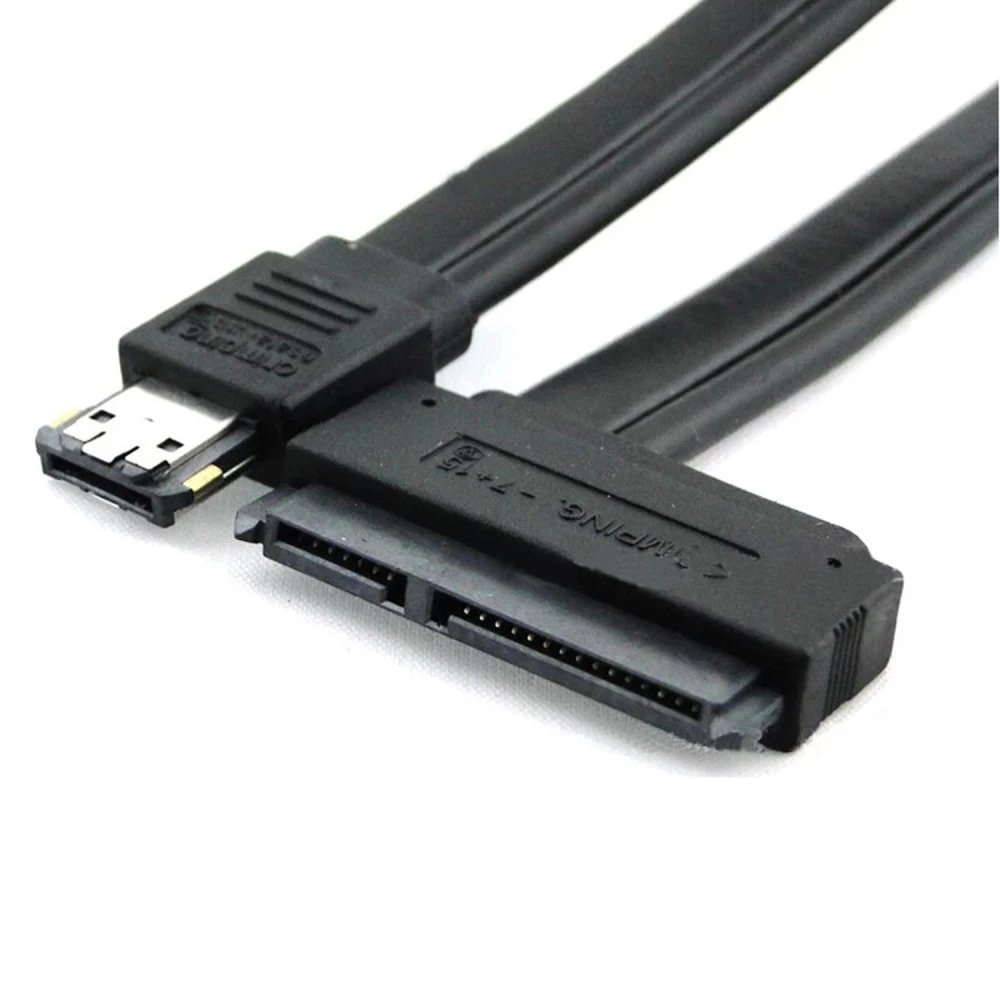
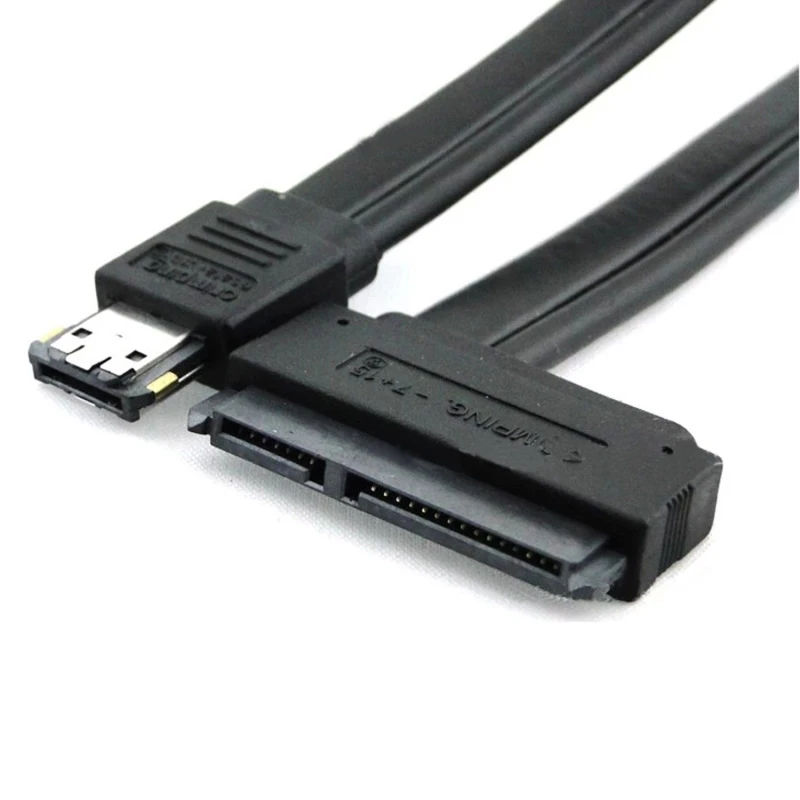
eSATA-zu-SATA 22-Pin Kabel mit eSATA+USB-Combo-Anschluss
Marke: satkit
4,64€
Inkl. MwSt. (Exkl. MwSt.: 3,90€)
Begrenzter Vorrat
Standardlieferung
Mi, Apr 22 - Fr, Apr 24
Expresslieferung
Mo, Apr 20 - Di, Apr 21
30 Tage Rückgaberecht
Kostenlose Rücksendung innerhalb von 30 Tagen
Sichere Transaktion






Share:
Kostenlose Lieferung
Bei Bestellungen ab 300€
Einfache Rücksendung
30 Tage Rückgaberecht
Sichere Zahlung
100% sicherer Checkout
Qualitätsgarantie
Nur Originalprodukte
Das eSATA-zu-SATA 22-Pin Kabel ist ein unverzichtbares Zubehör, um externe SATA-Geräte mit integrierter Stromversorgung über den eSATA+USB-Combo-Anschluss zu verbinden. Dieses Kabel wandelt das eSATA-Signal in SATA um und verfügt über einen 22-Pin-Anschluss (7 Pins für Daten + 15 Pins für Strom), wodurch die gleichzeitige Verbindung und Stromversorgung von Geräten erleichtert wird.
Hauptmerkmale:
- 22-Pin-SATA-Anschluss (7 Pin Daten + 15 Pin Strom) kompatibel mit 2,5" und 3,5" SATA-Festplatten.
- Duale Stromversorgung mit 5V und 12V über den eSATA-Anschluss, erfordert ein Mainboard mit eSATA-Dual-Unterstützung.
- Kompatibel mit CD-, DVD- und BLUERAY-Laufwerken und -Brennern mit SATA-Anschluss.
- Kabellänge: 50 cm, schwarze Farbe für eine dezente Integration in jedes Setup.
Typische Anwendungen:
- Anschluss externer SATA-Festplatten für schnellen Datentransfer und Stromversorgung ohne zusätzliche Kabel.
- Integration von SATA-CD/DVD/BLUERAY-Laufwerken und -Brennern in Systeme mit eSATA+USB-Combo-Ports.
- Ideal für Anwender, die eine stabile Verbindung und duale Stromversorgung über nur ein Kabel benötigen.
Kompatibilität:
Dieses Kabel ist kompatibel mit Mainboards, die das eSATA-Dual-System mit 5V und 12V unterstützen, sowie mit SATA-Geräten, die den standardmäßigen 22-Pin-Anschluss verwenden. Es ist wichtig zu prüfen, ob das Mainboard die Stromversorgung über eSATA unterstützt, um alle Funktionen des Kabels nutzen zu können.
Mit robuster Verarbeitung und einem Design, das die gleichzeitige Verbindung und Stromversorgung erleichtert, ist dieses Kabel eine praktische Lösung für Anwender, die externe SATA-Geräte mit integrierter Stromversorgung anschließen möchten.
- 22-Pin-SATA-Anschluss (7 Pin Daten + 15 Pin Strom)
- Duale 5V/12V-Stromversorgung über eSATA-Anschluss
- Kompatibel mit 2,5" und 3,5" SATA-Festplatten
- Kompatibel mit SATA-CD/DVD- und BLUERAY-Laufwerken/-Brennern
- Kabellänge: 50 cm, schwarze Farbe
- Erfordert ein Mainboard mit eSATA-Dual-Unterstützung für die Stromversorgung
Kundenfragen & Antworten
Requereix instal·lació especial o drivers per utilitzar-lo a Windows o Linux?
No es requereixen drivers específics ni instal·lació especial per a sistemes Windows, Linux o macOS, sempre que el sistema admeti dispositius d’emmagatzematge SATA i el port eSATAp estigui habilitat a BIOS/UEFI. És plug & play a nivell de maquinari.
Com es compara aquest cable amb un adaptador USB-SATA tradicional pel que fa a velocitat i ús?
La velocitat màxima teòrica de transferència la determina l’estàndard eSATA, que arriba a 3 Gbit/s (aprox. 300 MB/s, variable segons el dispositiu). Un adaptador USB 2.0-SATA queda limitat a 480 Mbit/s (60 MB/s), mentre que USB 3.0-SATA pot oferir fins a 5 Gbit/s. Tanmateix, aquest cable permet tant dades com alimentació directament des del port eSATAp, cosa que no és habitual en USB-SATA convencionals.
Quines precaucions de seguretat i límits d’ús he de tenir en compte en operar discos de 3,5" amb aquest cable?
Abans de connectar un disc de 3,5", verifiqueu que el port eSATAp del vostre equip lliura 12 V; si no, el disc no funcionarà o podria danyar-se. No està dissenyat per a intercanvis en calent constants, i la manipulació en ambient humit o amb alta càrrega elèctrica pot danyar els components. Compleix amb les normatives CE/RoHS habituals d’aquest tipus de connectivitat.
Does it require special installation or drivers to use on Windows or Linux?
No specific drivers or special installation are required for Windows, Linux or macOS, provided the system supports SATA storage devices and the eSATAp port is enabled in BIOS/UEFI. It is hardware plug & play.
How does this cable compare with a traditional USB-SATA adapter in terms of speed and use?
The maximum theoretical transfer speed is determined by the eSATA standard, which reaches 3 Gbit/s (approx. 300 MB/s, depending on the device). A USB 2.0-SATA adapter is limited to 480 Mbit/s (60 MB/s), while USB 3.0-SATA can offer up to 5 Gbit/s. However, this cable provides both data and power directly from the eSATAp port, which is not common with conventional USB-SATA adapters.
What safety precautions and usage limits should I bear in mind when operating 3.5" drives with this cable?
Before connecting a 3.5" drive, check that your eSATAp port supplies 12V; otherwise the drive will not work or could be damaged. It is not designed for constant hot swapping, and handling in damp environments or with high electrical load may damage components. It complies with the usual CE/RoHS standards for this type of connectivity.
Does it require special installation or drivers to use it on Windows or Linux?
No specific drivers or special installation are required for Windows, Linux or macOS, provided the system supports SATA storage devices and the eSATAp port is enabled in BIOS/UEFI. It is plug and play at hardware level.
How does this cable compare with a traditional USB-SATA adapter in terms of speed and use?
The maximum theoretical transfer speed is determined by the eSATA standard, which reaches 3 Gbit/s (approx. 300 MB/s, depending on the device). A USB 2.0-SATA adapter is limited to 480 Mbit/s (60 MB/s), while USB 3.0-SATA can offer up to 5 Gbit/s. However, this cable provides both data and power directly from the eSATAp port, which is not common in conventional USB-SATA adapters.
What safety precautions and usage limits should I bear in mind when operating 3.5" drives with this cable?
Before connecting a 3.5" drive, check that your device’s eSATAp port supplies 12V; otherwise the drive will not work or could be damaged. It is not designed for constant hot-swapping, and handling it in damp environments or with a high electrical load may damage components. It complies with the usual CE/RoHS regulations for this type of connectivity.
Kräver den särskild installation eller drivrutiner för att användas i Windows eller Linux?
Inga särskilda drivrutiner eller någon särskild installation krävs för Windows, Linux eller macOS, förutsatt att systemet stöder SATA-lagringsenheter och att eSATAp-porten är aktiverad i BIOS/UEFI. Den är plug & play på hårdvarunivå.
Kundenbewertung schreiben
Kunden, die diesen Artikel gekauft haben, kauften auch
Ihre zuletzt angesehenen Artikel
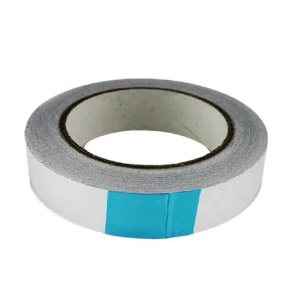

 eSATA-zu-SATA 22-Pin Kabel mit eSATA+USB-Combo-Anschluss
4,64€