


23,68€
Auf Lager


J-Link V9 ARM JTAG-Emulator kompatibel mit ARM7, ARM9, ARM11 und Cortex-STM3
Marke: satkit
23,68€
Inkl. MwSt. (Exkl. MwSt.: 19,90€)
Nur noch 4 auf Lager - jetzt bald bestellen!
Standardlieferung
Mi, Apr 22 - Fr, Apr 24
Expresslieferung
Mo, Apr 20 - Di, Apr 21
30 Tage Rückgaberecht
Kostenlose Rücksendung innerhalb von 30 Tagen
Sichere Transaktion






Share:
Kostenlose Lieferung
Bei Bestellungen ab 300€
Einfache Rücksendung
30 Tage Rückgaberecht
Sichere Zahlung
100% sicherer Checkout
Qualitätsgarantie
Nur Originalprodukte
J-Link V9 ARM JTAG-Emulator ist ein unverzichtbares Werkzeug für Entwickler, die mit ARM7-, ARM9-, ARM11- und Cortex-STM3-Mikrocontrollern arbeiten. Dieser Emulator unterstützt mehrere Entwicklungsumgebungen wie IAR EWARM, ADS, KEIL, WINARM und Real View und erleichtert das Debuggen und Programmieren von ARM-Chips mit hoher Effizienz und Präzision.
Hauptmerkmale:
- Kompatibilität mit ARM7TDMI-Kernen (Rev. 1, 3 und 4), ARM720T, ARM920T, ARM926EJ-S, ARM946E-S, ARM966E-S, ARM11 und Cortex-M3.
- USB 2.0-Hochgeschwindigkeitsschnittstelle für eine einfache und schnelle Verbindung mit dem PC.
- Maximale JTAG-Übertragungsgeschwindigkeit von 12 MHz, mit Downloadgeschwindigkeiten von bis zu 600 kB/s für ARM7 und 550 kB/s für ARM9.
- Unterstützung für Zielboard-Spannungsbereiche von 1.2V bis 3.3V, auch kompatibel mit 5V.
- Zweifarbige LED-Anzeigen zeigen Betriebs- und Kommunikationsstatus an und verbessern die Echtzeitüberwachung.
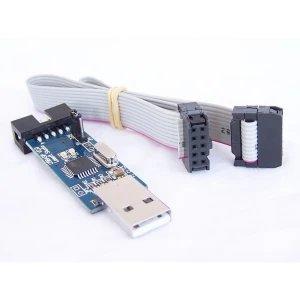
- Inklusive USB-Kabel und 20-adrigem Flachbandkabel für die Verbindung mit dem Zielboard.
- Überstromschutz mit USB-Stromversorgung, die bis zu 300 mA an das Zielboard liefert.
- Kompatibel mit Microsoft Windows 2000, XP, 2003 und Vista, einschließlich x64-Versionen.
Verbesserungen gegenüber früheren Versionen:
- Verbesserung der SWD-Schnittstellenschaltung für stabileres Debugging und erweiterte Funktionalität.
- Einsatz eines zweistufigen Konverterchips für eine robustere JTAG-Schnittstelle.
- Optimierte Firmware mit erweitertem Bootloader-Bereich zur Erleichterung zukünftiger Updates und neuer Funktionen.
- Verbesserte und schnellere Unterstützung für ARM11, als erste Wahl für diesen Kern.
Typische Anwendungen:
Dieser Emulator ist ideal für Entwickler, die ARM-Mikrocontroller in Elektronikprojekten, Automatisierung, Embedded Systems und Firmware-Entwicklung debuggen und programmieren müssen. Seine Kompatibilität mit mehreren Entwicklungsumgebungen und ARM-Kernen macht ihn vielseitig für verschiedene professionelle und آموزشی Anwendungen.
Lieferumfang:
- 1 x J-Link V9 ARM Emulator
- 1 x USB-Kabel
- 1 x J-Link JTAG-Konverter
Technische Daten:
- Stromversorgung: USB, Verbrauch unter 50mA.
- Schnittstelle: USB 2.0 Full-Speed (12 Mbps).
- JTAG-Schnittstelle: Standard 20-polig, mit 14-poliger Option.
- Maximale JTAG-Geschwindigkeit: 12 MHz.
- Unterstützte Zielboard-Spannung: 1.2V - 3.3V und 5V.
- Betriebstemperatur: +5°C bis +60°C.
- Abmessungen: 10,3 cm x 5,3 cm x 2,7 cm.
- Gewicht: 60 Gramm (ohne Kabel).
- EMC-Zertifizierungen: EN 55022, EN 55024.
Wichtiger Hinweis: Dieses Produkt ist derzeit nicht auf Lager. Wir empfehlen, unsere Website für zukünftige Verfügbarkeiten oder ähnliche Alternativen zu prüfen.
- Kompatibel mit ARM7-, ARM9-, ARM11- und Cortex-M3-Kernen
- USB 2.0-Schnittstelle für schnelle und stabile Verbindung
- Maximale JTAG-Geschwindigkeit von 12 MHz für effizientes Debugging
- Unterstützung für Spannungen von 1.2V bis 5V auf dem Zielboard
- Zweifarbige LED-Anzeigen zur Statusüberwachung
- Inklusive USB-Kabel und 20-adrigem Flachbandkabel
- Kompatibel mit mehreren Entwicklungsumgebungen: IAR, ADS, KEIL, WINARM
- Überstromschutz und USB-Stromversorgung
- Optimierte Firmware für zukünftige Updates
- Kompakte Abmessungen und geringes Gewicht für einfache Handhabung
Kundenfragen & Antworten
Quins avantatges funcionals ofereix el J-Link V9 respecte a versions anteriors com la V7?
El J-Link V9 incorpora millores rellevants respecte a la versió V7: utilitza un xip AT91SAM7S64 amb més capacitat de Flash i SRAM, cosa que facilita futures actualitzacions de firmware. Millora la interfície SWD amb un convertidor de dos nivells que protegeix el xip davant errors de configuració i afegeix indicadors LED d’estat diferenciats (USB, CPU objectiu, sortida 5V). El suport per a ARM11 és superior i més ràpid, tot i que la velocitat de SWD és una mica menor que a la V7. Aquestes novetats optimitzen la compatibilitat i la seguretat durant la depuració.
Quines són les dimensions, el pes i els materials principals de l’emulador J-Link V9 i què inclou la caixa en comprar-lo?
L’emulador J-Link V9 sol tenir unes dimensions aproximades de 90 mm x 45 mm x 20 mm i un pes proper als 65 g, tot i que aquests valors poden variar lleugerament segons el fabricant. Està construït principalment en plàstic ABS d’alta resistència i components electrònics interns. Habitualment, a la caixa hi ha l’emulador, un cable USB tipus A a mini-B (o micro-B) i un o dos cables de connexió JTAG/SWD. És recomanable consultar el contingut exacte amb el distribuïdor.
Quina compatibilitat i requisits de connexió té el J-Link V9 amb microcontroladors i sistemes operatius?
El J-Link V9 és compatible amb arquitectures ARM7, ARM9, ARM11 i Cortex-M3, així com amb microcontroladors STM32 i similars que suportin interfícies JTAG i SWD. Funciona via USB 2.0 i requereix un port USB lliure. És compatible amb entorns de desenvolupament com Keil MDK, IAR EWARM i ADS, i funciona a Windows i, amb els drivers adequats, a Linux i macOS. El voltatge d’operació típic a la interfície objectiu va d’1,2 V a 3,3 V.
Quines consideracions cal tenir en compte en instal·lar i posar en marxa el J-Link V9 per primera vegada?
És essencial instal·lar primer els drivers actualitzats del fabricant SEGGER al vostre sistema operatiu abans de connectar el dispositiu. Per a la primera connexió, connecteu el J-Link V9 al port USB i després connecteu-lo amb cura al capçal JTAG/SWD del microcontrolador objectiu, respectant l’orientació i el pinout. Eviteu canviar el mode SWD si no esteu segur de la compatibilitat, per prevenir danys al dispositiu.
Quines són les limitacions de velocitat o rendiment de depuració davant alternatives com ST-Link o CMSIS-DAP?
El J-Link V9 ofereix velocitats de transferència i depuració competitives davant alternatives com ST-Link o CMSIS-DAP, tot i que la velocitat SWD és lleugerament inferior respecte a la V7 (al voltant d’1-3 MHz segons la configuració). El seu principal avantatge és l’estabilitat, el suport ampliat de nuclis ARM i la compatibilitat amb múltiples IDEs. ST-Link sol ser més ràpid en STM32 però només suporta xips STM, mentre que J-Link té un suport ARM més universal i una millor gestió d’estats.
What functional advantages does the J-Link V9 offer over earlier versions such as V7?
The J-Link V9 includes significant improvements over the V7 version: it uses an AT91SAM7S64 chip with greater Flash and SRAM capacity, which makes future firmware updates easier. It improves the SWD interface using a two-level converter that protects the chip against configuration errors and adds differentiated status LEDs (USB, target CPU, 5V output). ARM11 support is better and faster, even though the SWD speed is slightly lower than on the V7. These new features optimise compatibility and safety during debugging.
What are the dimensions, weight and main materials of the J-Link V9 emulator, and what is included in the box when purchased?
The J-Link V9 emulator usually has approximate dimensions of 90 mm x 45 mm x 20 mm and a weight of around 65 g, although these values may vary slightly depending on the manufacturer. It is mainly made of high-strength ABS plastic and internal electronic components. The box typically contains the emulator, a USB Type-A to mini-B (or micro-B) cable, and one or two JTAG/SWD connection cables. It is advisable to check the exact contents with the distributor.
What compatibility and connection requirements does the J-Link V9 have with microcontrollers and operating systems?
The J-Link V9 is compatible with ARM7, ARM9, ARM11 and Cortex-M3 architectures, as well as STM32 microcontrollers and similar devices that support JTAG and SWD interfaces. It operates via USB 2.0, requiring a free USB port. It is compatible with development environments such as Keil MDK, IAR EWARM and ADS, working on Windows and, with the appropriate drivers, on Linux and macOS. The typical operating voltage on the target interface ranges from 1.2 V to 3.3 V.
What should be considered when installing and starting up the J-Link V9 for the first time?
It is essential to install the latest drivers from manufacturer SEGGER on your operating system before connecting the device. For the first connection, plug the J-Link V9 into the USB port and then carefully connect it to the target microcontroller's JTAG/SWD header, observing the orientation and pinout. Avoid changing the SWD mode if you are unsure about compatibility, to prevent damage to the device.
What speed or debugging performance limitations are there compared with alternatives such as ST-Link or CMSIS-DAP?
The J-Link V9 offers competitive transfer and debugging speeds compared with alternatives such as ST-Link or CMSIS-DAP, although SWD speed is marginally lower than on the V7 (around 1-3 MHz depending on configuration). Its main advantage lies in stability, broad ARM core support and compatibility with multiple IDEs. ST-Link is usually faster on STM32 but only supports STM chips, whereas J-Link has more universal ARM support and better state handling.
Kundenbewertung schreiben
Kunden, die diesen Artikel gekauft haben, kauften auch
Ihre zuletzt angesehenen Artikel
 J-Link V9 ARM JTAG-Emulator kompatibel mit ARM7, ARM9, ARM11 und Cortex-STM3
23,68€